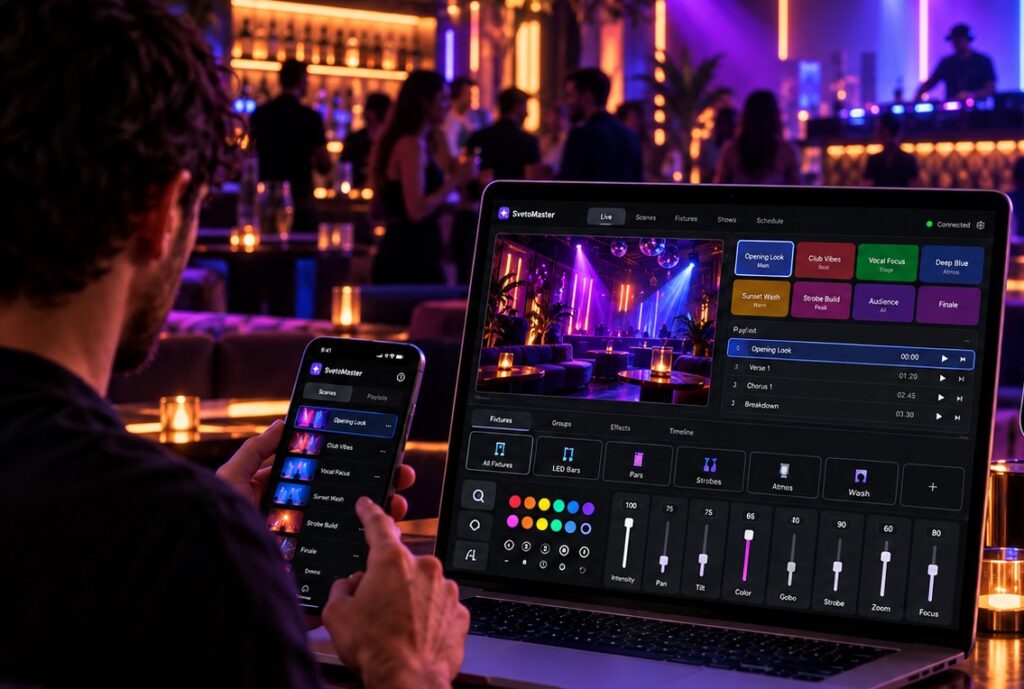
DMX software turns a computer into a lighting controller. With the right interface, a laptop or desktop PC can operate moving heads, LED PARs, wash lights, strobes, dimmers, lasers and many other fixtures that use the DMX512 protocol.
What once required a large physical lighting console can now be done with software, a USB-DMX interface or Ethernet node, and the computer you may already own.
This does not mean that hardware consoles have disappeared. They remain an important part of professional touring and large productions. But for DJs, bands, clubs, theatres, churches, schools and many event venues, software-based DMX control can provide a much more accessible way to build and run a lighting system.
What is DMX software?
DMX software is an application that generates DMX512 control data and sends it to lighting equipment.
DMX512 divides a universe into 512 control channels. Each lighting fixture uses a certain number of these channels.
A basic RGB light may use only a few channels, while an advanced moving head may use twenty, thirty or even more.
The software translates user-friendly commands into those DMX channel values.
Instead of thinking:
“Set channel 17 to 205 and channel 18 to 92.”
you can simply choose a fixture and adjust its pan, tilt, color or dimmer.
What can DMX software control?
DMX is used by a wide range of entertainment and architectural lighting equipment.
Depending on the fixture, software can control:
- brightness and dimmer;
- RGB, RGBW and other color systems;
- moving-head pan and tilt;
- color wheels;
- gobo wheels;
- prisms;
- zoom and focus;
- strobe speed;
- beam effects;
- fixture macros and special functions.
DMX software then combines these individual parameters into reusable scenes, chases and complete lighting looks.
What do you need to use DMX software?
A typical computer-based DMX system consists of:
- A computer running the lighting application.
- DMX software containing fixture profiles and show programming.
- An output device such as a USB-DMX interface or Art-Net/sACN node.
- DMX-compatible fixtures.
- DMX cabling or an Ethernet network, depending on the setup.
For a small rig, the system can be as simple as:
Computer → USB-DMX interface → lighting fixtures
For a larger installation:
Computer → Ethernet → Art-Net or sACN node → DMX fixtures
Why use software instead of a hardware DMX console?
The strongest argument is flexibility.
A computer can store many projects, display large fixture lists, run visualization, receive software updates and communicate with network lighting equipment.
There are several practical advantages.
Lower entry cost
If you already have a suitable computer, a software-based system can be significantly less expensive than purchasing a professional lighting console.
Easy project storage
Shows can be saved, duplicated, backed up and modified like other computer files.
Large fixture libraries
Modern applications can include thousands of fixture profiles, reducing the amount of manual channel configuration required.
Visual programming
Instead of working entirely with physical faders, software can display fixture groups, colors, positions, scenes and movement parameters graphically.
Visualization
A 2D or 3D visualizer allows part of a show to be prepared before the lighting rig is physically available.
Network DMX
Art-Net and sACN make it possible to distribute multiple universes over Ethernet rather than running every DMX line directly from the computer.
DMX software for beginners
The most difficult part of learning DMX is often not DMX512 itself. It is learning the software interface.
Some applications were created to reproduce the workflow of professional consoles. This can be very efficient for experienced programmers but intimidating for someone controlling their first moving head.
Beginner-friendly software should make a few basic tasks obvious:
- add a fixture;
- assign its DMX address;
- change its color or intensity;
- move pan and tilt;
- save a scene;
- create a chase;
- send output to the real interface.
If those operations require constant reference to a manual, the learning curve will be much steeper.
SvetoMaster: next-generation DMX software for Windows
SvetoMaster is a modern DMX application for Windows 10 and Windows 11 designed to combine serious lighting-control capabilities with a much more accessible interface.
Rather than forcing every user into a traditional console workflow, it presents fixtures, groups, scenes, chases and visual controls in a way intended to be easier to understand.
This makes it suitable for people building their first lighting rig while still providing room for significantly larger projects.
Accessible interface
Ease of use is one of SvetoMaster’s main design priorities.
New users can begin with basic fixture control and scenes, while more experienced operators can move on to groups, movement patterns, chases, BPM tools, multiple universes and network DMX.
The aim is to avoid forcing users to replace their software as their knowledge and lighting rig grow.
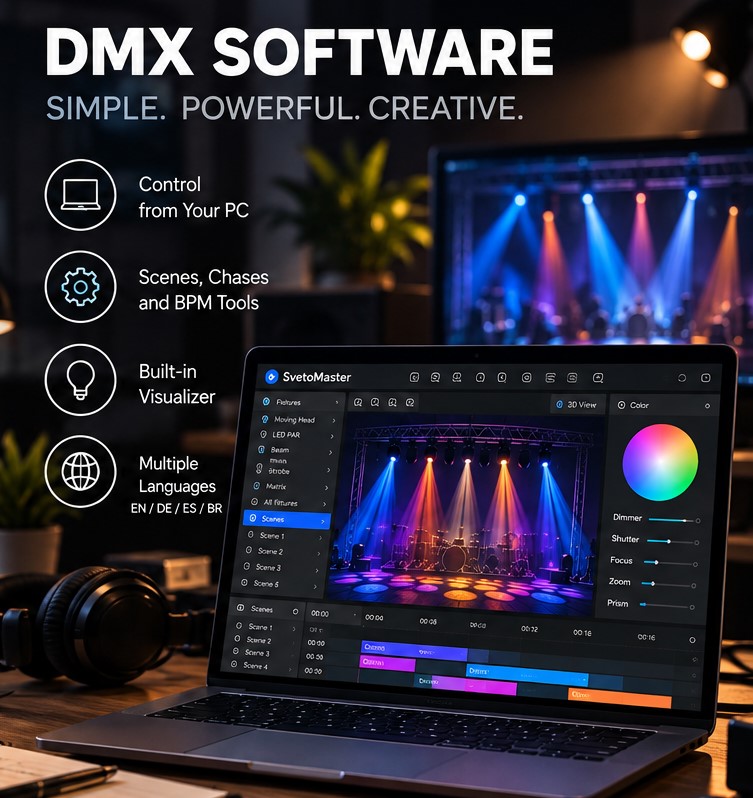
English, German, Spanish and Brazilian Portuguese
SvetoMaster is designed for an international audience.
The interface and documentation are available in:
- English;
- German;
- Spanish;
- Brazilian Portuguese.
This can make installation and training easier when the person setting up the system and the person operating it are not the same.
10,000+ fixture profiles
Fixture profiles tell the software what each channel of a light does.
SvetoMaster includes more than 10,000 fixture profiles, covering a wide range of moving heads, PARs, wash fixtures, effects and other DMX equipment.
Additional fixture profiles can also be created when necessary, and fixture data from established formats such as QLC+ and FreeStyler can be used in supported import workflows.
Scenes and chases
Scenes store complete lighting states, while chases create sequences and repeated effects.
These are fundamental building blocks for everything from a small DJ rig to a permanent venue.
A user can prepare several looks in advance and recall them during the show rather than manually recreating every combination.
Moving-head control
Moving heads are much easier to program when the software understands pan, tilt and other fixture-specific parameters.
SvetoMaster supports 16-bit parameters and moving-head patterns, allowing smoother movement and faster creation of coordinated effects.
Looking for modern DMX lighting control software? Try SvetoMaster on Windows 10 or 11 with your own fixtures, USB-DMX interface, Art-Net node or sACN network.
2D and 3D visualizer
A visualizer is particularly helpful when the venue or physical fixtures are not available during programming.
SvetoMaster can represent the fixture layout and lighting effects visually, helping users prepare much of a show in advance.
BPM and music-oriented tools
For DJs, clubs and live music, lighting often needs to follow musical tempo rather than simply run at a fixed speed.
SvetoMaster includes BPM-oriented functionality that can be used when building music-driven effects and chases.
AI in modern DMX software
Artificial intelligence is beginning to appear in lighting-control workflows.
The useful role of AI here is not to remove the lighting operator from the process. It is to shorten repetitive programming and help generate a useful starting point.
SvetoMaster offers an optional AI assistant that can help create scenes, chases, color presets and lighting ideas from an ordinary description.
For example, the user can describe a desired atmosphere as energetic, romantic, warm, cold, minimal or colorful and then refine the generated result.
The final lighting decisions remain under the operator’s control.
USB DMX software
For many beginners and mobile users, USB-DMX is the simplest way to connect a computer to lighting equipment.
The interface connects to the computer via USB and converts software commands into the physical DMX512 signal used by the fixtures.
This solution is popular for:
- mobile DJs;
- bands;
- small stages;
- rehearsal rooms;
- schools;
- small clubs and bars.
However, USB-DMX devices are not all identical. Different interfaces use different communication protocols and drivers.
Always confirm compatibility between the interface and the chosen software before purchasing hardware.
Art-Net and sACN DMX software
As a lighting system becomes larger, Ethernet-based protocols are often more convenient than direct USB connections.
Art-Net and sACN transport DMX universe data across a computer network.
An Ethernet node then converts that data back into physical DMX outputs near the fixtures.
This provides several advantages:
- multiple universes over one network;
- long-distance distribution;
- DMX outputs placed close to the fixtures;
- easy expansion of permanent installations.
SvetoMaster supports both Art-Net and sACN.
How many DMX universes do you need?
One universe contains 512 DMX channels.
For a simple rig with LED PARs, one universe may be more than enough.
Moving heads can consume significantly more channels. Pixel fixtures can consume them even faster.
A ten-fixture rig where each fixture uses 24 channels already occupies 240 channels.
Add several wash lights, strobes and effects and a second universe can become useful sooner than expected.
SvetoMaster supports up to 64 universes, allowing the same software to be used as a project expands.
DMX software for DJs
A DJ lighting system usually needs fast, flexible live control.
Useful functions include:
- scene recall;
- color presets;
- BPM-based chases;
- moving-head patterns;
- strobe control;
- fixture groups.
A simple visual workflow is particularly useful because the DJ may be controlling sound and lighting at the same time.
DMX software for theatres
A theatre generally values repeatable lighting states and precise fixture positioning.
Scenes allow an operator to recreate the same lighting state performance after performance.
For smaller theatres that do not need the infrastructure of a large touring console, PC-based DMX control can be a practical alternative.
DMX software for churches, schools and public venues
These environments frequently have several operators with different experience levels.
One technician may configure the system, while volunteers or staff members operate it later.
In this situation, a powerful but understandable interface is often more useful than software that assumes extensive professional console training.
Free DMX software or commercial DMX software?
Both approaches can work.
Free and open-source DMX applications are attractive for learning, experimentation and projects where software cost is the main constraint.
Commercial software may justify its price by reducing setup and programming time, providing an easier workflow, offering technical support or integrating additional tools such as visualization and AI assistance.
For a hobby system, spending extra time configuring software may not matter.
For a professional event technician, DJ or permanent venue, time spent programming is also a cost.
What should you look for when choosing DMX software?
Before choosing a program, check the following:
- Operating system support.
- Compatibility with your DMX interface.
- Fixture library size.
- Ease of creating custom fixture profiles.
- Moving-head programming tools.
- Scenes and chases.
- Visualization.
- Art-Net and sACN support.
- Number of supported universes.
- How quickly you can actually learn the interface.
The last point is one of the most important.
More functions do not automatically make software better. The best application is the one that gives you the functions you need while allowing you to build and modify a show confidently.
How to get started with DMX software
A first setup does not need to be complicated.
- Install the lighting software.
- Select your fixtures from the built-in library.
- Set the same DMX addresses in the software and on the real fixtures.
- Connect a supported USB-DMX interface or configure Art-Net/sACN.
- Test basic dimmer and color control.
- Create a scene.
- Add a chase or movement effect.
- Save the project before building the rest of the show.
Starting with one or two fixtures is usually better than connecting an entire rig immediately. Once the addressing and output are correct, expanding the project becomes much easier.
Is DMX software reliable enough for live shows?
Yes, when the system is configured properly.
Reliability depends on the complete chain: the computer, software, DMX interface, USB or Ethernet connection, DMX cabling and fixtures.
For important events, use a dedicated or well-maintained computer, reliable output hardware and test the complete setup before the audience arrives.
The future of DMX software
Lighting software is gradually becoming more visual, more network-oriented and easier to automate.
Large fixture libraries reduce setup time. Visualization makes off-site programming practical. Art-Net and sACN make multi-universe systems easier to distribute. AI tools can reduce repetitive programming and help create initial lighting ideas.
The important trend is not simply adding more functions. It is making sophisticated lighting control accessible without removing the precision that experienced operators need.
Try SvetoMaster with your own DMX equipment
The best way to compare DMX software is to stop comparing screenshots and connect a real fixture.
Add one of your moving heads or LED fixtures, configure its DMX address, create a scene and see how quickly you understand the workflow.
SvetoMaster provides a full-featured trial, allowing you to test the software with your own lighting equipment before deciding whether it fits your setup.
Want to control your DMX rig from a Windows PC? Try SvetoMaster with your own fixtures, USB-DMX interface, Art-Net node or sACN network.
DMX Software FAQ
What is DMX software used for?
DMX software is used to control DMX512 lighting fixtures from a computer, including moving heads, LED PARs, wash lights, strobes, dimmers and other entertainment lighting equipment.
Can I control DMX lights from a laptop?
Yes. You can use a laptop with compatible DMX software and a USB-DMX interface, Art-Net node or sACN-compatible network device.
Do I need a DMX console if I use software?
Not necessarily. Many small and medium lighting systems can be controlled entirely from a computer. Large touring productions may still prefer dedicated consoles.
What is the difference between DMX and Art-Net?
DMX512 is the lighting control protocol used by the fixtures. Art-Net is a method of transporting DMX universe data across an Ethernet network.
What is sACN?
sACN, also known as E1.31, is another standardized method of sending lighting control data over an IP network.
Does SvetoMaster work with moving heads?
Yes. SvetoMaster supports moving-head parameters including 16-bit pan and tilt control and movement patterns.
Does SvetoMaster support Art-Net?
Yes. SvetoMaster supports Art-Net as well as sACN and a range of USB-DMX interfaces.
Is SvetoMaster available in languages other than English?
Yes. SvetoMaster is available in English, German, Spanish and Brazilian Portuguese.
How many DMX universes can SvetoMaster control?
SvetoMaster supports up to 64 DMX universes.