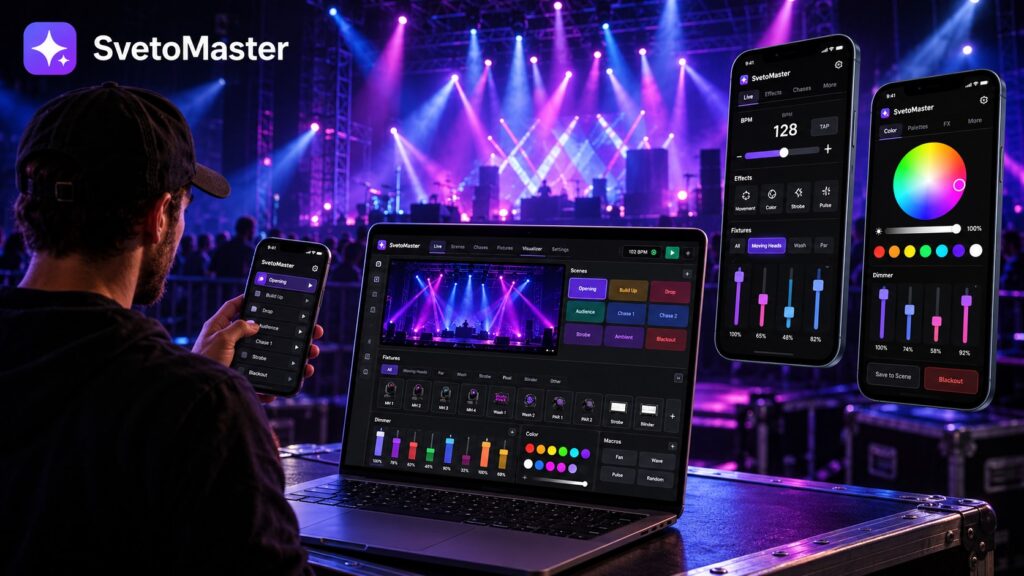
Modern DMX lighting control software has changed the way lighting shows are created. A computer can now handle tasks that once required a dedicated lighting console: patching fixtures, building scenes, creating chases, programming moving heads, synchronizing effects and distributing multiple DMX universes across a venue.
For DJs, bands, theatres, churches, clubs, event companies and lighting installers, software-based control can provide a flexible and affordable way to build professional-looking lighting systems without being tied to a large physical console.
But not every DMX program is designed for the same type of user. Some reproduce the workflow of a professional console, while others focus on accessibility and visual programming. This guide explains the most important features to consider and where a modern platform such as SvetoMaster fits into the picture.
What is DMX lighting control software?
DMX lighting control software is a computer application that creates and sends DMX512 data to lighting fixtures.
DMX512 itself is a control protocol. It does not know that a particular channel represents red, pan, tilt or a gobo. It simply transmits numerical values across channels.
The software adds the useful layer on top of that raw data. Instead of working only with channel numbers, the operator can work with actual fixtures and parameters such as:
- dimmer and intensity;
- RGB, RGBW and other color systems;
- pan and tilt;
- gobos;
- prism;
- focus and zoom;
- strobe;
- movement effects;
- scenes and chases.
This makes a lighting rig much easier to understand and program, particularly when it contains moving heads or fixtures with many DMX channels.
From hardware consoles to software-based lighting control
Dedicated lighting consoles remain essential in many large touring and broadcast environments, but a computer-based controller has become a practical alternative for a large number of real-world installations.
A software system can store an almost unlimited number of project files, receive new features through updates, work with large fixture libraries and provide visual tools that would be expensive to reproduce in dedicated hardware.
It is also easier to scale. A small rig may begin with a single USB-DMX interface and later move to several universes over Art-Net or sACN without completely changing the programming environment.
Key features to look for in DMX lighting control software
Fixture-based control
A good lighting program should understand fixtures rather than treating the entire rig as a collection of anonymous sliders.
Fixture profiles describe what each DMX channel does. Once a profile is loaded, the software can present meaningful controls for dimmer, color, pan, tilt, gobos and other functions.
A large fixture library therefore saves significant setup time, particularly for rental companies and event technicians who regularly work with different equipment.
Scenes and presets
Scenes store complete lighting states. A scene might contain fixture positions, colors, intensities and other parameters for a particular moment of the show.
Common examples include an opening look, a warm stage scene, a blue ambient scene, a dance-floor look or a static speaking position.
Being able to recall these states instantly is one of the fundamental advantages of software-based lighting control.
Chases and dynamic effects
A chase runs a sequence of lighting states automatically. Chases can be used for color changes, dimmer sequences, strobes and many other effects.
More advanced software can also generate movement patterns for moving heads rather than requiring the operator to program every intermediate pan and tilt value manually.
Fixture groups
Fixture groups become essential as a system grows.
Instead of selecting twenty lights individually, an operator can work with logical groups such as moving heads, front wash, rear wash, left stage, right stage or dance-floor fixtures.
This speeds up programming and makes live operation much easier.
16-bit moving-head control
Many professional moving heads use both coarse and fine channels for pan and tilt. This provides much smoother positioning than basic 8-bit control.
If moving fixtures are an important part of your rig, support for 16-bit parameters should be high on the list of requirements.
2D and 3D visualization
A visualizer allows the lighting designer to preview the show without having every physical fixture connected.
This is particularly valuable for mobile events and venues where access time is limited. You can prepare much of the show beforehand and use on-site time for final adjustments instead of starting from an empty project.
Visualization is also useful for moving heads because it gives immediate feedback about approximate beam direction, fixture placement, colors and movement patterns.
Multiple DMX universes
One DMX universe contains 512 channels. That is enough for many smaller rigs, but modern moving heads, pixel fixtures and multi-zone installations can consume channels quickly.
Software intended to grow with a system should support multiple universes rather than forcing the user to migrate to another platform later.
Art-Net and sACN
Art-Net and sACN allow DMX data to travel over Ethernet.
Instead of connecting every output directly to the control computer, a lighting application can send multiple universes across a network to DMX nodes located around the venue.
This is particularly useful for theatres, clubs, permanent installations and larger event spaces.
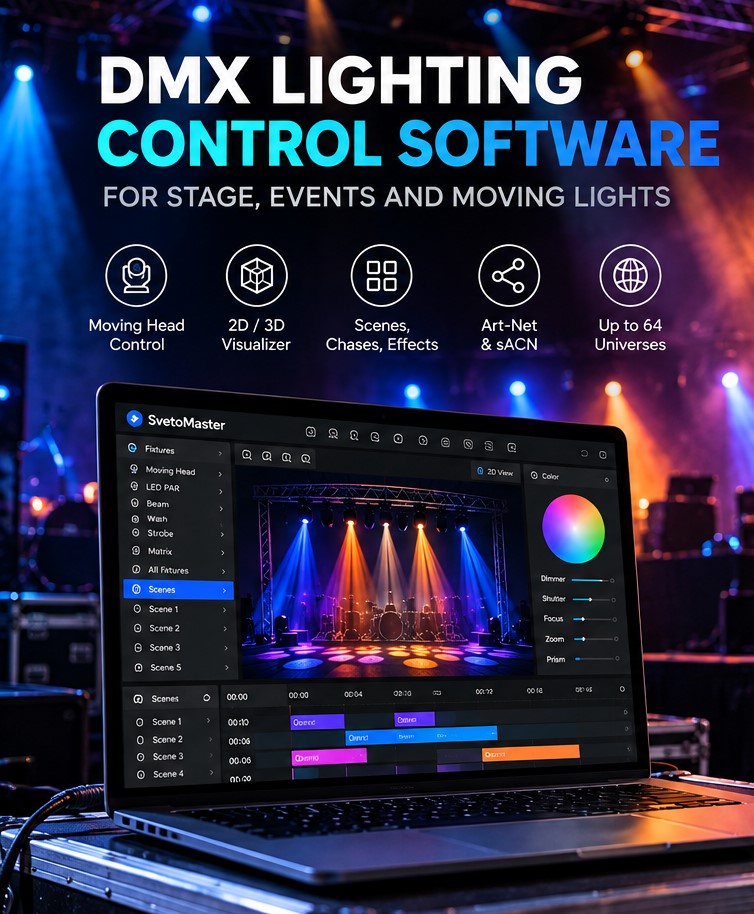
SvetoMaster: a modern approach to DMX lighting control
SvetoMaster is a modern DMX lighting control application for Windows 10 and Windows 11. It is designed around a simple idea: sophisticated lighting control should not automatically require a complicated interface.
Many traditional lighting applications inherit the structure and terminology of professional hardware consoles. That can be useful for experienced operators, but it creates a steep learning curve for users who simply want to control a modern lighting rig efficiently.
SvetoMaster takes a more visual approach while retaining capabilities needed for serious projects.
Designed to be easier to learn
Accessibility is one of the central ideas behind SvetoMaster.
Fixtures, groups, scenes, chases and effects are presented in a way that makes the relationship between the software and the real lighting rig easier to understand.
This makes the program suitable for both beginners and experienced technicians who prefer a faster workflow rather than a traditional console-style interface.
Multilingual interface
The lighting industry is international, but many technical programs are still difficult to use outside their original language.
SvetoMaster provides localized interfaces and documentation in:
- English;
- German;
- Spanish;
- Brazilian Portuguese.
This can be particularly useful in venues, schools, houses of worship and installations where several people may need to operate the same lighting system.
More than 10,000 fixture profiles
SvetoMaster includes a fixture library with more than 10,000 profiles, helping users get common lighting equipment patched quickly.
It also supports fixture profile workflows from established DMX ecosystems such as FreeStyler and QLC+, which can simplify migration for users who already have fixture definitions from another platform.
Moving-head programming
Moving heads are one of the areas where visual software provides the biggest advantage.
SvetoMaster supports 16-bit control and movement patterns for pan and tilt, allowing users to create smooth coordinated movement without manually programming every step.
That makes it possible to build sweeps, circles and other dynamic movements more quickly.
Scenes, chases and BPM-based control
Lighting for music often needs to change continuously rather than follow only a fixed theatrical cue list.
SvetoMaster provides scenes and chases together with BPM-oriented tools, making it suitable for DJs, clubs, live bands and other music-driven applications.
The operator can build structured looks in advance while still retaining the flexibility needed for live performance.
2D and 3D visualization
SvetoMaster includes visualization tools that can represent the lighting rig before the actual fixtures are available.
This helps designers prepare fixture placement, beam direction, colors and movement effects away from the venue.
USB-DMX, Art-Net and sACN
A modern lighting program should not require every system to use the same type of output hardware.
SvetoMaster supports a range of USB-DMX interfaces and common DMX-over-network methods, including:
- uDMX-compatible interfaces;
- FTDI-based USB-DMX devices;
- supported Enttec-compatible interfaces;
- Art-Net;
- sACN.
This allows a small system to start with a straightforward USB connection and a larger installation to use Ethernet-based distribution.
Up to 64 DMX universes
SvetoMaster supports projects with up to 64 DMX universes.
Most users will never need that many, but the capacity means a system can grow substantially without the lighting software becoming the limiting factor.
AI-assisted lighting programming
One of the newer developments in lighting software is the use of AI as a programming assistant.
SvetoMaster offers an optional AI assistant that can help create scenes, chases, color combinations and starting points for different moods.
Instead of replacing the lighting designer, the assistant is intended to shorten the time between an idea and a usable first version.
A user can begin with a description of the desired atmosphere and then adjust the generated result manually.
Looking for modern DMX lighting control software? Try SvetoMaster on Windows 10 or 11 with your own fixtures, USB-DMX interface, Art-Net node or sACN network.
DMX lighting software for DJs and live music
DJs and live performers usually need quick access to scenes, colors, movements and tempo-based effects.
The lighting operator may need to change the look instantly when the musical energy changes, which makes a fast visual interface especially useful.
For this type of work, useful features include BPM tools, fixture groups, moving-head patterns, color presets and fast scene recall.
DMX lighting software for theatres
Theatre lighting has different priorities. Repeatability, predictable fixture states and accurate positioning often matter more than constant live improvisation.
PC-based lighting software can work particularly well in smaller theatres and performance spaces that require powerful programming tools but do not need a large touring console.
DMX lighting control for churches and schools
In a church, school or community venue, the person operating the lights is not always a professional lighting technician.
A system may therefore need two things at once: enough depth for an experienced person to create the show, and an interface simple enough for another operator to recall scenes reliably.
This is one of the areas where approachable software can offer a practical advantage over a console-style workflow.
DMX lighting software for clubs and event venues
Permanent venues often use the same fixture layout for months or years.
Once the fixtures are patched, operators can create reusable libraries of looks for normal operation, DJ nights, live music, private events and special productions.
Network protocols such as Art-Net and sACN are particularly useful in these environments because DMX nodes can be positioned close to the lighting equipment rather than close to the control PC.
USB-DMX or network DMX?
A USB-DMX interface is usually the easiest choice for a small system.
It is compact, inexpensive and simple to understand: connect the interface to the computer and connect the DMX output to the fixture chain.
Art-Net and sACN become more attractive as the system grows. Ethernet can carry multiple universes and distribute them across a much larger area.
There is no need to choose one technology permanently. Modern lighting systems often use USB-DMX for portable setups and Art-Net or sACN for larger installations.
How to choose DMX lighting control software
Feature lists are useful, but the most important questions are practical:
- Does the software support your operating system?
- Does it support your DMX interface or network protocol?
- Can you find profiles for the fixtures you own?
- Is moving-head programming easy enough for your workflow?
- Can you prepare a show without the physical rig?
- Will it still work if your system grows to several universes?
- Can other people learn to operate it?
The last point is frequently underestimated. The most powerful program on paper is not necessarily the best program in a real venue if only one person can understand it.
Try the software with a real lighting rig
The best way to evaluate DMX lighting control software is to use your own fixtures.
Patch a few lights, create a scene, build a chase, program a moving-head effect and configure the actual DMX output you plan to use.
That test reveals more about the software than a long specifications table ever will.
Looking for modern DMX lighting control software? Try SvetoMaster on Windows 10 or 11 with your own fixtures, USB-DMX interface, Art-Net node or sACN network.
DMX Lighting Control Software FAQ
What is DMX lighting control software?
It is software that lets a computer control DMX512 lighting fixtures such as moving heads, LED PARs, wash lights, strobes and dimmers through USB-DMX, Art-Net or sACN.
Can lighting software replace a DMX console?
For many DJs, venues, churches, schools, clubs and small to medium stages, yes. Large touring productions may still prefer dedicated consoles and specialized hardware workflows.
Can DMX lighting software control moving heads?
Yes. Fixture-aware software can control pan, tilt, dimmer, color, gobos, prism, zoom, focus, strobe and other functions supported by the fixture.
Can I program a lighting show without connecting real fixtures?
Yes, if the software includes a visualizer. SvetoMaster provides 2D/3D visualization for preparing and previewing a show before connecting the physical rig.
Does SvetoMaster support multiple languages?
Yes. SvetoMaster is available with interfaces and documentation in English, German, Spanish and Brazilian Portuguese.
How many DMX universes does SvetoMaster support?
SvetoMaster supports projects with up to 64 DMX universes.